Saturday, October 18, 2008

CCSC Rocky Mountain Conference 2008 at Colorado Technical University

Papers from the Seventeenth Annual Consortium for Computing Sciences in Colleges Rocky Mountain Conference were presented October 17-18, 2008 at Colorado Technical University in Colorado Springs. The CCSC conference was hosted in conjunction with the Institute for Advanced Studies' doctoral residency at Colorado Technical University.

The subjects ranged from the use of games in education, such as Neverwinter Nights in Learn These Sums or Die, Using the Ancient Game of Rogue in CS1 and Alice to accessibility tools for blind students and ethics in technology.

Congratulations to my co-authors Steven Endorf, Dawn Frankovich and Johnny Sandaire for their work on our paper entitled A Virtual Environment for Designing User Interface Prototypes. Our presentation on Slideshare was lively as we integrated slides and a Second Life (SL) session to demonstrate the class projects and SL's powerful project creation tool.

It was a great opportunity to demonstrate the accomplishments of CTU students who studied and created projects within the virtual world of Second Life during the Winter 2008 offering of CS 820 Usability and Interaction. Many thanks to Dawn and Steven for presenting their work at the conference as they were not required to attend this term's doctoral residency.

Our Keynote speaker, Kevin Cox, from Microsoft's SQL Server Product Group, discussed the Technology for Very Large Databses, citing his case study for the Panoramic Survey Telescope & Rapid Response System (Pan-Starrs) project.

James Morgan's presentation of statistics from a study he conducted on The Development of Student Perceptions of Ethical Issues in the Use of IS segued nicely into our banquet presentation.

Keynote speaker Dr. David Teneyuca, Dean of Information Technology at CTU Online, discussed Ethics and Technology. He offered riveting examples of inappropriate use that ranged from robot sex to how technology may be influencing a shift in ethics and values.

We appreciated Site Chair Dr. Bruce Harmon's efforts in hosting the conference at CTU and the CCSC Rocky Mountain Steering Committee's hard work in organizing the papers, publication, sessions and future events. Attendees enjoyed the generous donations from the vendors and sponsors who distributed Cenage canvas bags, Pearson Education textbooks, literature from Colorado Technical University and made this wonderful learning experience possible.

My loot bag included two new books on usability and interaction! *grins*

For more information on tomorrow's conference sessions, visit the CCSC 17th Annual Rocky Mountain Conference.

If there are papers that you would like to read from this conference, use the session names from the CCSC program to review them in the ACM Digital Library.

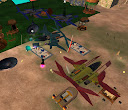
Note: The images included in this post are by C. Calongne. The first four depict the projects from Winter 2008 CS 820 in Second Life and the last photo includes projects from several classes in Second Life.

Monday, October 06, 2008

Keynote Address for the Online Teaching and Learning Conference

On Tuesday, October 7, 2008 at 2:00 Eastern, I'll give a keynote address on Second Life: Teaching Tips from the Virtual Frontier for the Jossey-Bass Online Teaching and Learning Conference.

The title is similar to my presentation at the TCC conference in April 2008, but I've updated the examples and references. See you at the conference!

Thursday, October 02, 2008

Welcome to CS 820!


Welcome to our Fall offering of CS 820 Usability and Interaction!

As you progress through this course, you will explore the process of interface design, usability testing and explore new ways to design usable interfaces.

Wednesday, October 01, 2008

Innovation Week in Second Life

Visit Orange Island to see a schedule of events for their presentation of Innovation Week in Second Life! I was fortunate to attend Monday's fun presentation by the bantering duo Gwynneth Llewellyn and Jade Lily as they looked Back to the Future.

Monday also featured a special Metanomics panel discussion stimulated by the recent interview with Philip Rosedale, Founder of Second Life.

After the Metanomics session, Malburns Writer led a fun tour of innovations and quizzed participants using an audience participation Human Barometer exercise. In response to his questions about innovative products and technologies, the guests stood on signs to Agree, Disagree or be Unsure.

My favorite was the demonstration of Second Life on a Samsung cell phone using gesture-based recognition that reminded me of using the Wii. To look down at the ground in Second Life, the user tilts the cell phone to pan the camera down.

The Sims 2 representation of the future of eCommerce with avatars examining real life products appealed to me, too. While a few items, like shoes, benefit from trying them on before buying, a virtual shopping mall for real life goods is appealing for interacting with products and browsing for gift ideas.

Would I buy from a virtual shopping mall? If the products are interactive, well-organized and delivered within two days, you bet!

Saturday, September 27, 2008

Spirit Dance at Burning Life


The 6th Annual Burning Life celebration for the arts and creativity runs September 27 - October 5, 2008. Over 600 Burning Life events are scheduled amid a host of campsites, exhibits and free items.


Join me (Lyr Lobo) in a discussion of movement and dance in Second Life on Monday at 9AM SLT (Pacific), 10AM Mountain at Spirit Dance in Tigris and receive some lovely free items.

Wednesday, September 24, 2008

Serious SL Meetup #18 - Virtual Worlds, Business, and the Law

If you are in the Boulder area Thursday, September 25th at 6:00PM, check out the next Serious Second Life Meeting where Dr. Lindsay Moore, CEO, President and Founder of KLM, Inc. will speak on intellectual properties rights for virtual products and services.

Location:
Univ of Colorado, Boulder
Classroom 104
1125 18th Street Boulder, CO 80309

For more information or to RSVP, visit the Serious Second Life Meetup site.

Tuesday, September 23, 2008

Closing Thoughts on Socio-technical Futuring and Innovation

Thank you for making CS 855 such an invigorating exploration in predictions, forecasting and Web 2.0 Tools. Final grades are posted on the Student Portal. Feel welcome to contact me if you have questions.

As you reflect back on the term...

Did you try any tools that were unfamiliar to you?

Did you learn new information (or a new way of categorizing it) from the textbooks and discussions?

Can you identify the differences between creativity and innovation?

Did you explore the techniques employed by think tanks and a research consortium to identify and forecast innovation?

Despite the challenges and risks associated with long-range forecasts, there is a reason why we do it. No, it is not simply to torture you! *chuckles*

We need a vision of the future, even one that is subject to change, and a strategy for achieving it. We need tactics that help us plan and strive for it, and tools that help us to make better estimates and manage risks.

We need to be aware of many considerations that may impact the success of our predicted innovations:

1. Technological capability - can we do it?
2. Social impacts - people and how they collaborate and feel
3. Cultural issues - groups and their subcultural influences
4. Political issues - without political support, hard to foster innovation
5. Financial - few good ideas thrive without financial support
6. Legal - avoid litigation and protect innovation
7. Ethical - do no harm, respect others, respect their values

As time passes, these influences need to be reassessed to see if the need for the innovation has declined, if the technological capability has redirected future paths, or if the political or social climate has changed dramatically, making it less viable.

Despite the likelihood that our prediction will need to change, our leadership employs good practices to forecast the future and to strategize for it.

As doctoral students and soon to be graduates, many of you are poised on the brink of becoming leaders, if you are not already performing these tasks. How you retain your credibility while planning innovation for your company depends on you.

Please keep in touch and let me know how you are doing... As the Future Catches You! I will miss you and hearing your wonderful thoughts in your posts, comments and Second Life discussions. *smiles*

Have a wonderful break, and if you are graduating, an excellent future! *grins*
Cynthia / Dr. C.
a.k.a. Lyr Lobo in Second Life

Educause Review's Back to (Virtual) School Edition

If you are unfamiliar with the Educause Review, the award-winning magazine for the higher education IT community, check out this month's Back to (Virtual) School edition. Editor Teddy Diggs has gathered the featured articles and virtual worlds research from a dozen educational institutions in the web-bonus section.

These articles discuss the future of virtual worlds and the viewpoint ranges from the institution, teaching in a virtual world, student learning, the workplace of the future and an examination of the issues that impact the use of a virtual learning environment.

Back to (Virtual) School
Many thanks to Teddy Diggs for her exercising her vision and creativity with editorial zeal. She gathered us into a virtual community to discuss virtual worlds and the journal reflects it.

Educause Review, Volume 43, Number 5, September/October 2008

Wednesday, September 17, 2008

Prototyping 3D Designs in Second Life

Our last class was a blast as we explored how to model our ideas using Second Life's built-in creation tool.

Our goal was to review everyone's project ideas, identify the desired behaviors for these models, study examples of analogous problems and identify how to blend what we know into a prototype that analyzes one or more properties of the innovation design.

Our activities included:
  • Build and deform some primitive shapes
  • Texture
  • Adjust the shiny, transparency and glow settings
  • Modify a particle script
As a warm up exercise, everyone created a sphere, cut it in half, hollowed it, and studied how to set one facet or side of it to glow.

Student project ideas focused primarily on two categories: hovercraft and the future of medicine. For hovercraft, we discussed the requirements for simulating movement, noting the 31-primitive (prim) limit for objects that use Second Life's Havok 4 physics system. If a vehicle can carry 5 passengers, it can have no more than 26 linked primitives or shapes - each avatar that sits on it counts as one primitive.

As we began to plan a hover car prototype, we considered how avatars would sit in them and how to design it to support the behavior of novice users. This led to a discussion of shape and common vehicle characteristics. Rather than develop a new paradigm for hover craft travel and traffic patterns, we elected to preserve the behavior of today's motor vehicles in this design.

Next, we explored sample vehicles, discussing how avatars sit in them and how to plan the orientation of each avatar. The class tested various poses for orienting the driver and passengers in the vehicle.

As we discussed the link order of the hovercraft, the students debated the usefulness of making the passenger or the driver the root prim.

Several students demonstrated hovercraft using one of the sample vehicles from an earlier class. At this point, several students flew off into the sunset and two students remained to complete their prototypes.

We modeled different designs for a medical device and discussed how nanoparticles might look as they moved through it. Our prototype featured a laproscopic surgical tool with particles flowing through it to simulate the nanoparticles.

The final prototype was modeled over two sessions and used some evolutionary designs. It began as an encompassing medical diagnostic tube derived from Vanilla Jessop's Genie Chair design and it evolved into a futuristic diagnostic and treatment center.

As we examined how it would be used, the integrated entertainment center concept came to mind. One day, a family might watch television from within the entertainment center. As the program is projected around their bodies, the medical diagnostic system would analyze their health and offer diagnostic advice. Advanced models would include treatment for minor ailments.

This has been a wonderful class and I will miss you! Share your research with the world and do not forget to keep in touch. *smiles and waves* Congratulations to the students who are graduating! Live long and live well.

Saturday, September 13, 2008

CS 855 Assessment Checklist

Thank you for working so hard on your blog assignments, Second Life activities and projects! To reduce the need for rework, please check your CS 855 activities using the following requirements checklist:

Five Web 2.0 Tools:
***********************
  1. Blog - done!
  2. Web 2.0 Tool
  3. Web 2.0 Tool
  4. Podcast
  5. Web 2.0 Tool or Second Life activity
Includes a name and description of the tool, a url for it, and an illustration or example of its use. The blog activity is already complete and needs no additional work. If your example is in text and not visual, note it to ensure that it receives credit.

Your analysis of a:
**********************
  1. Failed Prediction
  2. Successful Prediction
Includes a description of the prediction, a url for it, an illustration, model or example of it. In some cases, the posts do not state failure or success, making assessment difficult.

Your Innovation Prediction:
********************************
  • Description and analysis - 1 or more blog posts
  • Discussion of risk
  • 2-3 models that depict it and analyze risk
  • Examination of the technological, social, cultural, political, financial, ethical and legal issues
  • 2-3 citations (your choice of format)
Final Project:
****************
Gather all of your blog posts, the analysis of each prediction and your innovation posts into a Final Project document (.doc or .pdf format). Include any information that helps it to connect and flow well, demonstrating your research this term. Include your illustrations and models. You do not need to include your podcast, but do add a url for it. See the rubrics posted in the News forum.

Post your final project in the Week 11 forum on the IAS website. The file size limitation is 24MB in the Week 11 forum.

Feel welcome to edit your original post and add information or an image as needed. Note the source of your information if it is not original content. Tip: it is easier to upload .jpgs to Blogger than to point to a Flickr photo until permission is given using Blogger's Help instructions.

Writing feedback is time consuming. Make it easy to evaluate your work by using good labels and checking each assignment. Send me an email message if you are still working on an activity.

Tuesday night's classes at 6PM Mountain and 8PM Mountain will cover prototyping in Second Life. These are working sessions and do not include lecture material on Futuring and Innovation.

Have a great week! *waves*

Tuesday, September 09, 2008

Last CS 855 Class Session in Second Life


Tonight's CTU doctoral classes wove a discussion of innovation prediction techniques with an overview of expert systems, risk assessment, and the technological, social, cultural, ethical and legal issues that affect the success of a socio-technical innovation plan.

We reviewed the requirements for the project, including 2-3 models, 2-3 citations, good coverage of the risks and a discussion of one or more of the issues that affect success.

Our Second Life activities focused on testing how to improve voice interaction, using the physics system and setting physical, phantom and temporary properties on our objects. The class worked on a collaboration activity and discuss when to use phantom and the physical settings.

As we turned our attention to the recent activity for Burning Life, the second class session analyzed how to simulate a fire that consumes a sculpture. We rezzed particle and textured fires, blended them, then discussed the alternatives for simulating it.

For the final project, document your ideas on your blogs, then continue it by gathering your entire blog into a document and weaving it into a coherent story. Look at the News forum for additional requirements and feedback throughout the next two weeks.

Class concluded with a discussion of how to find attachments using the Edit menubar and Detach object listing, then searching the inventory. Cheers to the student who discovered and reattached his head!

Next week's classes are informal prototyping sessions where we will build models for our projects and discuss alternatives for simulating behavior. These prototypes include data visualization models and medical diagnostic systems. These sessions are optional and some students are scheduling them at alternative times.

Monday, September 08, 2008

CS 855 Feedback and SL Skills Class

It's Week 10 and Tuesday's class features a discussion of our last two weeks of course activities, questions about your research and a new Second Life skill for you to enjoy.

We will hold sessions at 6PM Mountain and at 8PM Mountain - same time, same place. If you need a teleport, look for Lyr Lobo in the Second Life by using the Search button and People tab, and send me an instant message.

Grades and feedback reports will be available and if you have questions, do not hesitate to call or write me at calongne@pcisys.net

Have a great week! *waves*

Saturday, September 06, 2008

SLEDcc 2008 Best Practices in Education exhibit

Greetings from the Second Life Education Track at the SL Community Convention, held in Tampa, FL and in Second Life. The posters were excellent and as Lyr Lobo, I had a blast setting up our Colorado Technical University in Second Life booth and chatting with the educators, researchers and visionaries who made it possible for us teach and learn in a virtual world!


Sloan Skjellerup of SL's Rockcliffe University and I observed that Second Life changes rapidly, making it a challenge to stay current with the growing number of universities and educators teaching in a virtual world. Ellie Brewster shared her research in Women's Studies at Ohio State University and noted that Virtual Praxis: A Conference on Women's Community will be held in SL on Minerva island in November.

Tab Scott and Troy McLuhan came by to share their research activities in Second Life. Troy McLuhan was active with the International Spaceflight Museum in Second Life and is now prototyping several science exhibits and museum collections in Second Life. Tab's research at Montana State University blends student culture, architecture, art and music into a learning mashup that extends beyond the classroom to promote sustainable community.

Featured in this image is a panorama of educational highlights in Second Life, including the NMC Symposium, the Testis exhibit and much more. These research highlights were included in last week's Tour of Second Life landmarks.

While most of the exhibits focused on tools and SL education at universities, the K-12 community recognizes that the future is here. The USDLC offers teacher conferences, curriculum and content development in Second Life.

Interested in cool rezzers and science in education? Be sure to check out the StoryMachine and other data visualization tools by Graham Mills (scripts by Troy McLuhan). Graham distributed a copy of it and offered a session during SLEDcc on the Worlds within Worlds.

Due to the wonderful educational discussions, I did not get a photo of every exhibit, and recommend that you visit the SLEDcc 2008 wiki to see the podcasts, Flickr photos, blogs and other media that depicts the state of education in Second Life.

Wednesday, September 03, 2008

Rezzers, a HUD and Innovation Project Discussions

Our CTU Week 9 class activity explored scenes that render at the touch of an object, a Second Life tour HUD, and how to complete the socio-technical innovation projects.


As the class began, we tested rezzing the Mahjong tiles on this game table in SL. We also removed and rezzed the island's castle within 10 seconds, showing the speed and power of larger virtual world rezzers and visited a variety of context-sensitive scenes that appeared around us.

If you missed class, be sure to visit and pick up your copy of the Touring Second Life folder. Inside are two notecards, one that organizes a set of landmarks and the other features touring information and a copy of the Boracay Hitchhiker's Guide to SL Heads-up Display (HUD) device. The HUD is included both in the folder and on the touring notecard.

While we were wearing the HUD and testing its interface, I quickly demonstrated how to create a similar prototype and link it.

During our socio-technical project discussion, we explored space travel and hovercraft vehicles as project topics. Both topics may require long-range projections beyond our 10-15 years for non-research topics and 15-30 years for topics within our research areas.

For space travel, the ideas ranged from exploration to a trucking system in space. Naturally, that led to a review of the technological, social, cultural, financial and political influences that need to be considered.

Related technologies may also be needed, such as a mid-air traffic control system for hovercraft vehicles. While it is challenging to consider everything that will be needed, discuss the influences and how they may impact success within the socio-technical plan.

The projects need to include 2-3 models that analyze it and address risk. For Second Life prototypes, one is sufficient. Types of models for the projects include physical (in SL), analogue (on paper or in SL), mathematical and schematic.


During the second class session, we explored a variety of prototypes and particle emitters for project ideas from the residency session, including the diagnostic and treatment medical system.

How will it look, how confident will we feel using it and how will we get feedback from it? Aside from technological capability, how secure, safe and ethical will this system be?

While we will not be able to address every contingency, as we explore an uncertain future, keep in mind the influences that support and hinder your innovation plan.

Next week, we will continue our discussion of the socio-technical innovation plan and summarize the course content. If you plan to design a project prototype in Second Life, contact me for design ideas, textures and scripts.

If you want to hold a graduation ceremony in Second Life during the last week of class, let me know.

Tuesday, September 02, 2008

Touring Second Life Guide

Want to know how to tour Second Life, use a heads up display device and return to your current location?

Create a landmark - save your current location for returning later.
  • Under the World menu on the menubar, select Create a Landmark. Close the landmark that appears. It is filed in the Landmarks folder in your inventory.
Using the Tour Notecard
  • To teleport to a new location, you can open the tour notecard in your Notecards folder and click on a landmark (has a push pin symbol) to open it.
  • Select teleport to visit it.
Don't have a Touring Second Life kit? Send a message in SL to Lyr Lobo to request it.

Boracay Hitchhiker's Guide to Second Life

Concept by Roger Thunders, Editorial Team: Bibi Book and Sun Hainsworth
License: Creative Commons Attribution Share-Alike
Distributed by Nick Noakes (Corwin Carillon in SL)
  • Click the Hitchhiker's device to copy it to your inventory from your Lyr Lobo's Touring in Second Life notecard. Skip this step if you already have a copy.
When you have the Boracay Hitchhiker's Guide to SL in your inventory:
  • In your objects folder, right click and wear the Boracay Hitchhiker's Guide to SL.
  • A Heads-up Display (HUD) device appears on your display and a Travel HUD requests permission to act on your control inputs in the upper right corner of your display.
  • Select the Accept button in the upper left corner of your display.
See an example of the HUD in the following image:


Using the Boracay Hitchhiker's Guide to Second Life

Menu and Help:
  • On the HUD, click the upper left green button of your HUD for a Help notecard or the upper right button to see a menu of options.
The tour categories include Art, Museums, Learning, Exploring, Shopping, SLeducator and Newbies. Select a tour category and wait a moment for it to load.
  • Use the arrow keys to cycle through a series of locations and click on the image to teleport to that location.
  • Select the green circle to minimize the HUD and the red circle to maximize it.
Questions? Contact Lyr Lobo in Second Life. Have fun touring!

Tuesday, August 26, 2008

Socio-technical Diversity

Tonight's CTU class discussion focused on how companies strategize, evaluate new endeavors and plan for the future. These socio-technical systems included Media Bars at Starbucks and third-party partnerships at Amazon.

Some of the Media Bars are gone now, yet a handful remain scattered around the country. My family and I visited one in San Antonio during the recent ISTE NECC conference and remarked at how cool it was to browse and enjoy tunes while socializing over a favorite beverage. We proudly brought home a souvenir CD that included our favorite tunes.

Now, we have iPODs and iTunes, but the convenience, coupled with browsing while socializing, was fun. The lack of widespread adoption was attributed to iPODs and competing technologies. I was surprised and gratified to visit one, as there are only four remaining sites (according to a Starbucks' employee).

Tonight's Second Life skills included avatar customization and shopping. Prior to touring, several students demonstrated their diversity by changing into Batman, Mr. KoolAid, different genders and robots.

Some were new to setting up a folder for our avatar's normal shape, skin, hair, eyes and clothing. Two students lost their hair, skin and shapes, but after searching for a few moments, were restored.

IF you misplaced your body or hair, do not despair! We will find them. *grins*

One class took a field trip to the NMC Orientation site. After moving through the tutorials and past the trolley car, we flew over to the southeast corner to visit the Educational Center. We picked up a set of academic robes, thanks to the New Media Consortium (NMC) and Stella Costella.

What a great place! Inside, we were able to buy for $0 a host of great educator free items, including educational tools, builder's toolkits, clothing, books and custom looks. We even picked up academic robes in preparation for graduation.

We used the game design group's instant message window to communicate while touring. While voice was successful, mine disconnected for a few minutes, while I continued to chatter. *grins* Note to self: Make sure the Talk Button is lit when traveling.

The second class wove Desire2Learn's conflict with Blackboard and a recent decision by the U.S. Patent & Trademark Office.

We discussed OpenGrid architecture and OpenSim, then speculated on the barriers to operating a virtual world server on a home PC and connecting it to a worldwide grid. The ensuing discussion ranged from system requirements to the issues associated with digital rights for virtual world content.

We ended the night by rezzing some of the NMC Games, then set up a mahjong table to discuss rezzable game pieces in preparation for next week's class.

We will meet again next week to continue reviewing the class content, play with rezzers, and distribute a guide to exploring Second Life.

Wednesday, August 20, 2008

Think Tanks and Second Life Gestures

In Tuesday's CS 855 Futuring and Innovation classes, we explored the similarities between our think tank activities and the innovations predicted in Technology's Promise. After reflecting on the technique that we used to identify likely innovations, we asked how our results differed from other think tanks?

For Second Life skills, we activated a set of speech gestures and inserted slides into a preloading slide viewer for giving presentations in Second Life.

In both CTU classes, we discussed the podcast assignment, noting that some students used their podcasts to talk about predictions while others evaluated the podcast technology. For using open source or custom-created mp3 content, embed it with a photo into a video and upload it to your blog.

Congratulations go out to the one-month-old birthday of our newest class member and his proud papa (depicted in this photo).

Both class sessions stated that the use of Second Life helped them to connect, share ideas and learn virtual world concepts in a relaxed setting. Students who are graduating this term asked us to hold a virtual graduation in Second Life as many of them will not be attending the next residency. I'll contact Stella Costello from the NMC Virtual Worlds team to see if we can use the NMC cap and gowns. *grins*

Next week, we'll continue our discussions on futuring and innovation, and take our first virtual field trip.

Monday, August 18, 2008

CS 855 Next Class

On August 19th, we will examine the advances and trends from Technology's Promise, continue our discussion of socio-technical futuring and learn a few more virtual world concepts. Class times:

6:00PM Mountain, 7:00PM Central, 8:00PM Eastern
7:00PM Pacific, 8:00PM Mountain, 9:00PM Central

Tuesday, August 12, 2008

Aug 12th CTU Class Activities - Two sessions

Technology, tools and the risks associated with making predictions were among Tuesday's class discussion topics.


We tested our knowledge about entrepreneurs and demographics in the U.S., then looked at how our textbooks Technology's Promise and The Fortune Sellers organize and discuss trends and innovations.

At the end of each session, we examined a variety of free Second Life technologies. The early class studied aircraft and vehicles, learning to render and use their objects.

One aircraft worked beautifully for demonstration purposes, but did not cooperate for students. In the hour between classes, another student joined us and we studied cooperative movement in a UFO multi-person vehicle (depicted in this photo).


The last class discussed the course concepts, then looked at particle scripts, some devices that use them and the castle rezzer. Students received an additional staff with particles and an animation override on it. Check with Lyr Lobo to get her staff and a UFO vehicle.


For next week, grab your Technology's Promise book by William Halal and we will discuss Chapters 4 and 5. Focus greater attention on pp. 45-52 - Online Societies, pp. 53-56 - Virtual Reality and on the advances and trends listed on pp. 57-62, 66 and 72-78. Note how this content compares to the results from our technological forecasting activity during the residency. We will also weave more Second Life concepts into our activities.

See you in Second Life!

Monday, August 11, 2008

CS 855 Classes on Tuesday

Second Life Class Sessions

8/12/08 at 6PM Mountain, 7PM Central, 8PM Eastern
and an encore session at:
8/12/08 at 7PM Pacific, 8PM Mountain, 9PM Central

Agenda: Modeling Tools and Technologies, Gadgets in SL

Thursday, August 07, 2008

Science Friday in Second Life

August 8, 2008  Topics: Pacific Time = Second Life Time (SLT)                                  
  • 11 AM SLT: WATER ON MARS! SOLAR SYSTEMS AND COSMIC GHOSTS, DRUG TESTING EXAMINED
  • NOON: KISS MY MATH! WITH DANICA McKELLAR, TRAFFIC PATTERNS: WHY WE DRIVE THE WAY WE DO
Join Ira Flatow of National Public Radio's SCIENCE FRIDAY in Second Life, for a lively two hour discussion of cutting-edge science. Ira will be taking questions from Second Life avatars during the show.

Location: http://slurl.com/secondlife/Science%20Friday/220/192/28

Missed the show? Visit SCIENCE FRIDAY to enjoy the podcasts from the show.

MGM 845's Week 5 Class in Second Life


The MGM 845 Strategic Thinking class met in Second Life to discuss the BSG, decision making concepts and the class activities listed on Moodle. Delft Andel led the session with facilitation and notetaking by Lyr Lobo. *waves her magic pen*

Observations and Questions During Class
  • Fear is a barrier to creativity.
  • This is your opportunity to "run" a multi-national retail company.
  • Enjoy the roleplay activities and envision what it takes to be successful.
  • Does everyone feel comfortable with the rotating CEO perspective?
  • Are there other roleplay games like this one used in classes for electronic negotiation?
People will imitate your success!

Tuesday, August 05, 2008

Creativity vs. Innovation in Second Life

CS 855 held two excellent class sessions in Second Life tonight. We borrowed the Take a Position concept from Global Kids and examined some common myths about innovation from the books The Myths of Innovation and Ban the Humorous Bazooka: And Other Roadblocks and Speed Bumps Along the Innovation Highway ("Ban" is available from Books 24x7 at the CTU Library).


Students discussed the concepts and myths associated with creativity and innovation while standing on platforms that represented Myth or Truth. After examining nine myths, the class observed that the definitions tend to blur as a series of small creative efforts contribute to innovation.


Both classes ended with a short building session that covered intermediate building skills. Next week's classes (at the same time and location) continue to weave the class concepts with social media experiences in a virtual world.

Check out the Week 5 News forum post for more information on how your futuring and innovation assignments are being evaluated.

Let me know if you are interested in prototyping your class project or need a Second Life session at another time.

How to use voice in Second Life

Tip: You can hear others speak even if you do not have a microphone and you can continue to hear and speak even if you lose connection so long as you do not close your SL software.

Select:
  • ctrl + P for preferences
  • Voice Chat tab
  • Enable Voice Chat
  • Check the box for voice from the avatar position - to hear around your body
  • Push-to-talk mode and toggle
  • Select the Apply button and Ok at the bottom of the Preferences window
Look at the bottom right of your display screen.

Click the Talk button if you have a microphone enabled and wish to talk.

If you have problems, revisit the Voice Chat tab in the Preferences at ctrl P and check your Device Settings and Voice Chat Settings.

To hear other speakers better:

Click the Active Speaker List (the button to the left of the Talk button). Highlight a name on it and use the slider at the bottom of the window to turn them up or down. Move the speaker window up if you do not see it. Only the names in this list can hear the Voice chat.

Tip: If you do not see names in the Active Speaker List, you are not connected to the voice server. If you Enabled Voice Chat in Preferences and you have a working microphone, headset or speakers, then log off and reconnect to Second Life.

See you in Second Life! *waves*

Monday, August 04, 2008

Futuring and Innovation: Myths, Metanomics and Social Media

While preparing for this week's Second Life class sessions, I flagged a few topics worthy of further discussion. Don't forget to check out Howard Rheingold's video at http://tinyurl.com/6ymbnr

The Myths of Innovation
http://www.theagitator.net/creativity/how-does-innovation-occur/

Futuring for visual/spatial learners
http://www.slideshare.net/tag/futuring

Futuring and innovation in a virtual world
Metanomics in Second Life
http://www.metanomics.net/pastevent
http://metanomics.net/futuring-and-innovation-center

Futuring and innovation - cancer research towards 2015
http://labs.cancer.org/FIC.asp

Futuring and innovation for non-profits - social media
http://www.fispace.org/

Second Life Getting Started Guide

Use this guide to learn to Move, Look Around, Use Objects, Teleport or Change your Appearance.

Moving Your Avatar - Navigation
  • Move your avatar by using the arrow keys on your keyboard. Up = forward, Down = back, Left = turn left, Right = turn right
Looking Around - Camera Controls
  • Lock your camera on an object by holding the Alt button and left clicking it. (Mac users: Option key + Mouse click).
  • Hold down the Ctrl + Alt + left mouse button (all 3 together) and move your hand slowly to the left, right, forward or back. While you hold all 3 down, your camera moves around the object.
  • Return your camera to your avatar - press the Escape key twice.
Interacting with Objects
  • Touch or left click an object to use it. Not all objects are usable.
  • Right click and select the Sit option in the pie menu - Sit is located at the 10:00 location on a clock).
Tip: Sometimes the name of the Sit option is redefined by a script to another name, such as Relax, Pose or Up. "Sit" means "attach the avatar to an object and use it."
  • To Stand: right click the object and select Stand or use the Stand button in the bottom center of your display.
Teleport - Navigation between Regions or Sims

You can teleport using the Map button, a landmark, a teleport request from a friend, or by clicking a slurl (SL url web address). Second Life is a grid of 3D graphical websites that your avatar can visit.
  • Map: click the Map button at the bottom of your display. On the map menu: enter the name of the region (sim or island) that you wish to visit and click the button to the right to load it. Use the Teleport button in the menu or double click on the map to move to that location.
  • Landmark: click your Inventory button and open the MyInventory and Landmarks folders. Double click the landmark to teleport to that location.
Want a friend to join you? - Teleport a Friend
  • Click your communicate button in the lower right corner, the Contacts tab and the Friends tab. If online, highlight your friend's name and select Teleport on the right or Profile, then Teleport.
Appearance - Change Clothes via the Inventory Menu

Your clothes, body shape, skin, hair and eyes are in your Inventory under several folders. At first, you are wearing a new avatar look in your Clothing folder.

To change your look or clothing, you can wear it or add new pieces to your outfit.
  • Right click clothing, hair, skin, shape or eyes and select Wear.
  • Right click a folder name that has wearable items in it and select ADD TO OUTFIT.
Tip: You could Remove clothing or Replace clothing, but both of these options bare your avatar, then add only the new items, leaving the body parts that are missing from this folder bare.

Tip: To reduce the likelihood of being without clothing or hair, use ADD TO Outfit to replace only the items that are in the folder. You can manually remove any excess items.


Appearance - Customize Your Avatar - the Appearance Menu
  • From the Edit menu on the menubar, select Appearance -or -
  • Right click your avatar and select Appearance
In the Appearance Menu, you can make a new look, create new items of clothing, customize the color and texture of clothing, change your shape, skin, hair and eyes. The new items you are create are storied in either the Body folder or the Clothing folder of your Inventory.

Tip: Create a folder for your normal look.
  1. Make a new Inventory folder - right click on a folder and select New Folder.
  2. Rename it and move your inventory items into that folder or copy/paste them.
  3. To restore your normal look, right click the folder and use ADD TO OUTFIT.
Tip: Purchased items are often no modify.
  • Look for items that allow you to modify them.
  • Make a copy of our item before customizing your look so you have an unaltered original.

Friday, August 01, 2008

Learning to fly!

The third CS 855 class session in Second Life was such fun as students learned to fly!

Aside from reviewing SL basics, we discussed research in SL and evaluating alternatives for simulating the class project.

Who said SL is only for techies? An MGM 845 student installed the software and set up his voice, practiced a few camera and motor skills, then took off flying in his newly rezzed airship. Fast work!

By popular request, we will hold two one-hour class sessions on Tuesday, Aug. 5th at 6:00 PM Mountain, 8:00 PM Eastern and an encore session (same day, same agenda) at 7:00 PM Pacific, 8:00 PM Mountain. See you on Tuesday!

The figure depicts Lyr Lobo demonstrating Percival Ogg's Airship in Second Life.